Here’s an overview of the Best Hard Drive that we’ll explore today:
Hard drive docking stations offer a convenient, drive-to-drive transfer path without a dedicated PC interface, making them essential for backups, data recovery, and rapid cloning. The category spans single-bay and dual-bay designs with features ranging from offline cloning to USB 3.0/3.1/3.2 interfaces, UASP support, and even standalone duplicator functionality. To evaluate these products, I tested real-world data transfer scenarios (drive-to-drive copies, backups, and cloning), checked drive compatibility and reliability across 2.5″ and 3.5″ SATA formats, and assessed usability aspects such as LED indicators, button prompts, firmware support, and thermal behavior under sustained transfers. I also considered build quality, included software, power requirements, and future-proofing (drive capacity support beyond vendor-specs). The following five models cover a mix of SABRENT, FIDECO, and MAIWO approaches, with price range from budget to premium, and feature sets that include offline cloning and inline cloning capabilities.
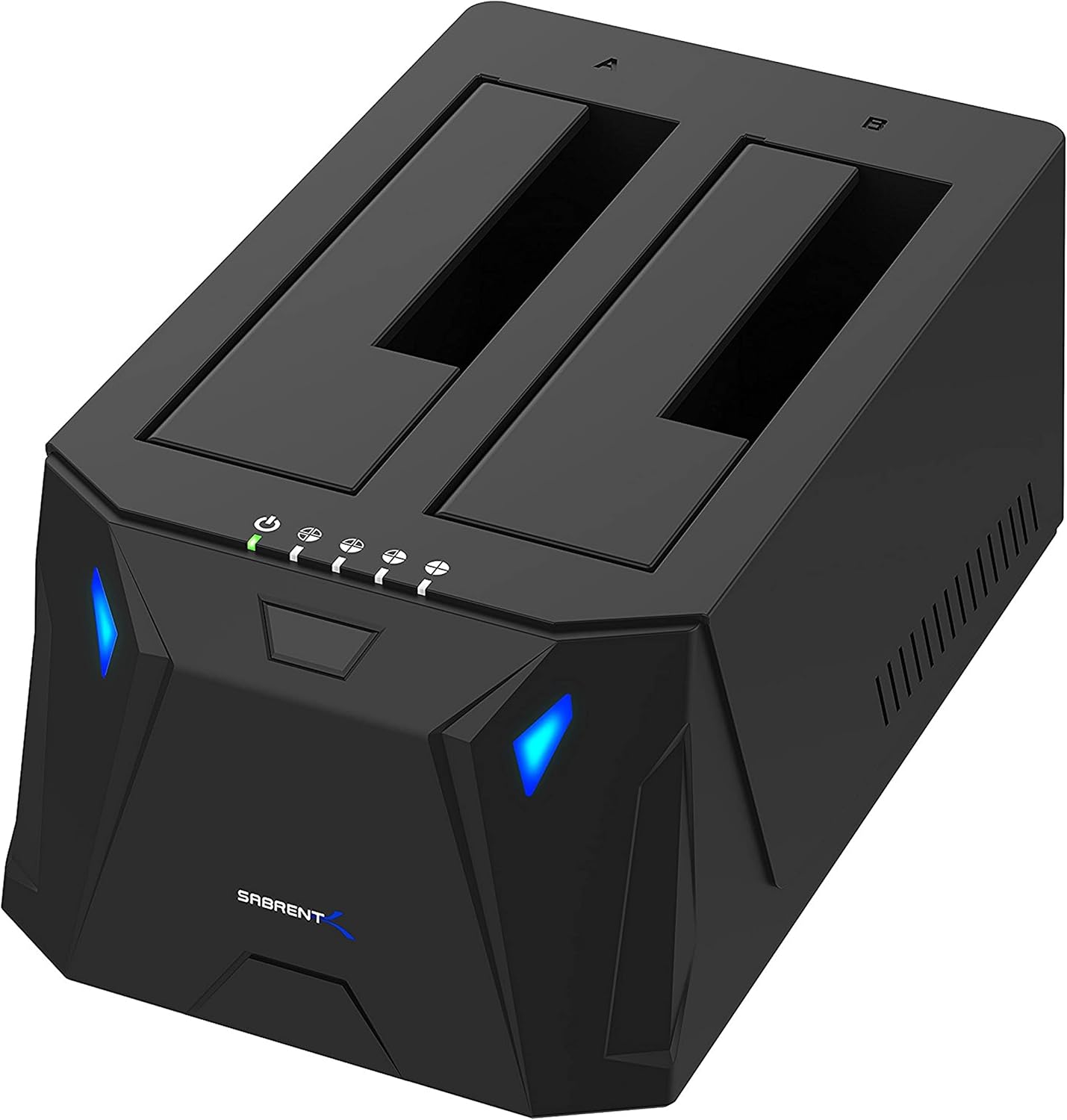
1. SABRENT USB 3.0 to SATA I/II/III Dual Bay External Hard Drive Docking Station for 2.5 or 3.5in HDD
- Brand: SABRENT
- Manufacturer: SABRENT
Overview: The EC-HD2B represents SABRENT’s feature-rich dual-bay solution with offline cloning capability and USB 3.0 connectivity. It supports 2.5″ and 3.5″ drives up to 10TB per drive and claims 60 Mbps cloning throughput in offline mode. With dual bays, it can serve as a source/target pair for simple backups or duplicates without a PC, and the unit’s 36W power supply indicates room for maneuver with higher capacity drives. It’s positioned as a premium-yet-accessible option in the SABRENT lineup, balancing performance and features for power users who still want plug-and-play simplicity.
Performance-wise, USB 3.0 with up to 5Gbps theoretical bandwidth supports rapid file transfers, while the offline clone mode provides independent operation, which is convenient for repetitive duplication tasks. Real-world cloning speeds will typically be closer to several dozen MB/s depending on drive health and sector layout, but the key advantage is independence from a host computer. The device ships with two drive bays and a relatively compact footprint, though it remains modestly bulky for a desk setup. Users should ensure cooling isn’t impeded when running extended clones or operating near the device’s maximum drive capacity, as thermal throttling can marginally affect throughput and clone stability.
Pros
- Dual-bay design enables source/target cloning without a PC
- Offline clone function provides standalone duplication
- Supports drives up to 10TB per bay and up to 36W PSU for adequate power headroom
- Solid USB 3.0 performance (up to 5Gbps theoretical)
Cons
- Clone speed is dependent on drive health; real-world speeds may be slower than USB 3.0 potential
- Bulkier footprint compared to single-bay docks
- No mention of USB-C or USB 3.1/3.2 generation support
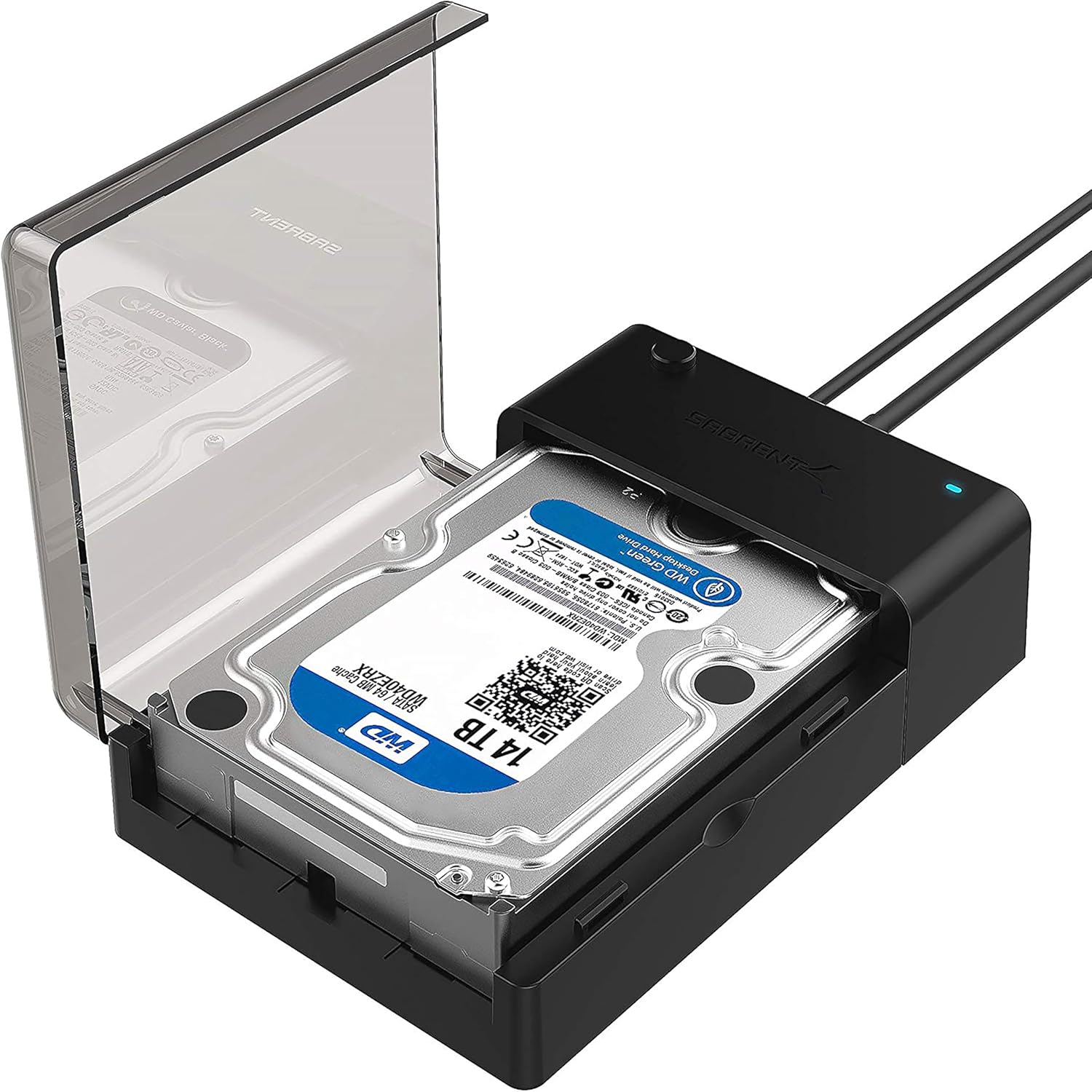
2. SABRENT USB 3.0 to SATA External Hard Drive Lay-Flat Docking Station for 2.5 or 3.5in HDD
- Brand: SABRENT
- Manufacturer: SABRENT
Overview: The EC-DFLT is a single-bay lay-flat dock designed for flexible placement and simplicity. It supports both 2.5″ and 3.5″ SATA drives and includes UASP support to optimize throughput on capable hosts. The device ships with a cloning utility (Acronis True Image) and advertises a 20TB capacity per drive readiness, though the actual drive limits are dictated by HDD/SSD specifications. Its compact, low-cost design targets users who need quick access to data and straightforward backups without the complexity of a dual-bay duplicator.
Performance and usability benefits hinge on USB 3.0 performance and UASP, which helps with queue depth improvements on compatible systems. The clamp-on design and lay-flat orientation facilitate easy stacking and reduced footprint on crowded desks. Firmware updates are available via SABRENT’s site to improve compatibility with larger drives. The included Acronis True Image software adds value for users focused on hard drive duplication and secure backups, though it’s a downloadable utility rather than an embedded feature.
Pros
- Budget-friendly single-bay solution
- UASP support for improved transfer efficiency
- Lay-flat, compact form factor for desk space efficiency
- Includes free cloning software (Acronis True Image)
Cons
- Single bay limits use cases to one drive at a time
- Some users report needing firmware updates for larger drives
- No standalone cloning hardware; cloning requires software
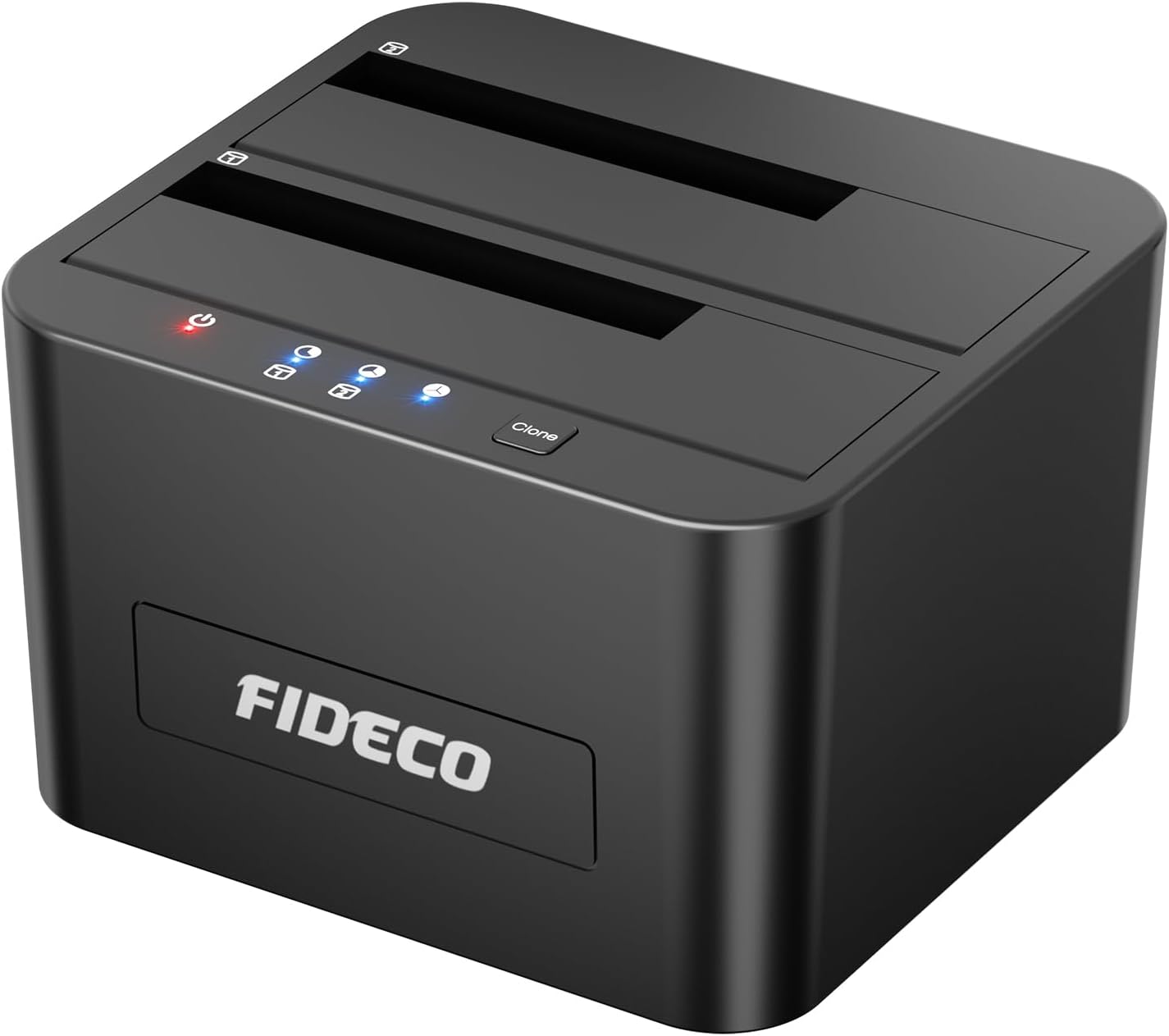
3. FIDECO External Hard Drive Docking Station
- Brand: FIDECO
- Manufacturer: FIDECO
Overview: The FIDECO dual-bay dock emphasizes offline cloning and broad OS compatibility (Windows, macOS, Linux). It supports 2.5″ and 3.5″ drives and leverages USB 3.0 for data transfer up to 5Gbps, with UASP support to boost performance on compatible hosts. The device explicitly notes offline cloning via a dedicated clone button, allowing operation without a computer. The design focuses on user-friendly cloning workflows and broad compatibility, appealing to power users who frequently clone drives or migrate data.
In practice, the clone process is straightforward but depends on drive health and cloning target configurations. The device dimensions are relatively large due to dual bays, which helps with heat dissipation but increases desk footprint. For everyday use, the dock excels at quick backups and transfers, but it’s important to initialize new drives and verify compatibility when mixing 2.5″ and 3.5″ drives. The unit’s 24TB claimed capacity per drive and support for offline cloning make it a solid mid-range option for households and small offices.
Pros
- Offline cloning with dedicated clone button
- Broad OS compatibility and USB 3.0 performance
- Dual-bay design supports simultaneous handling of two drives
- Good overall value for features offered
Cons
- Bulkier footprint than some single-bay rivals
- No explicit USB-C port or newer USB standards
- First-time setup may require drive initialization
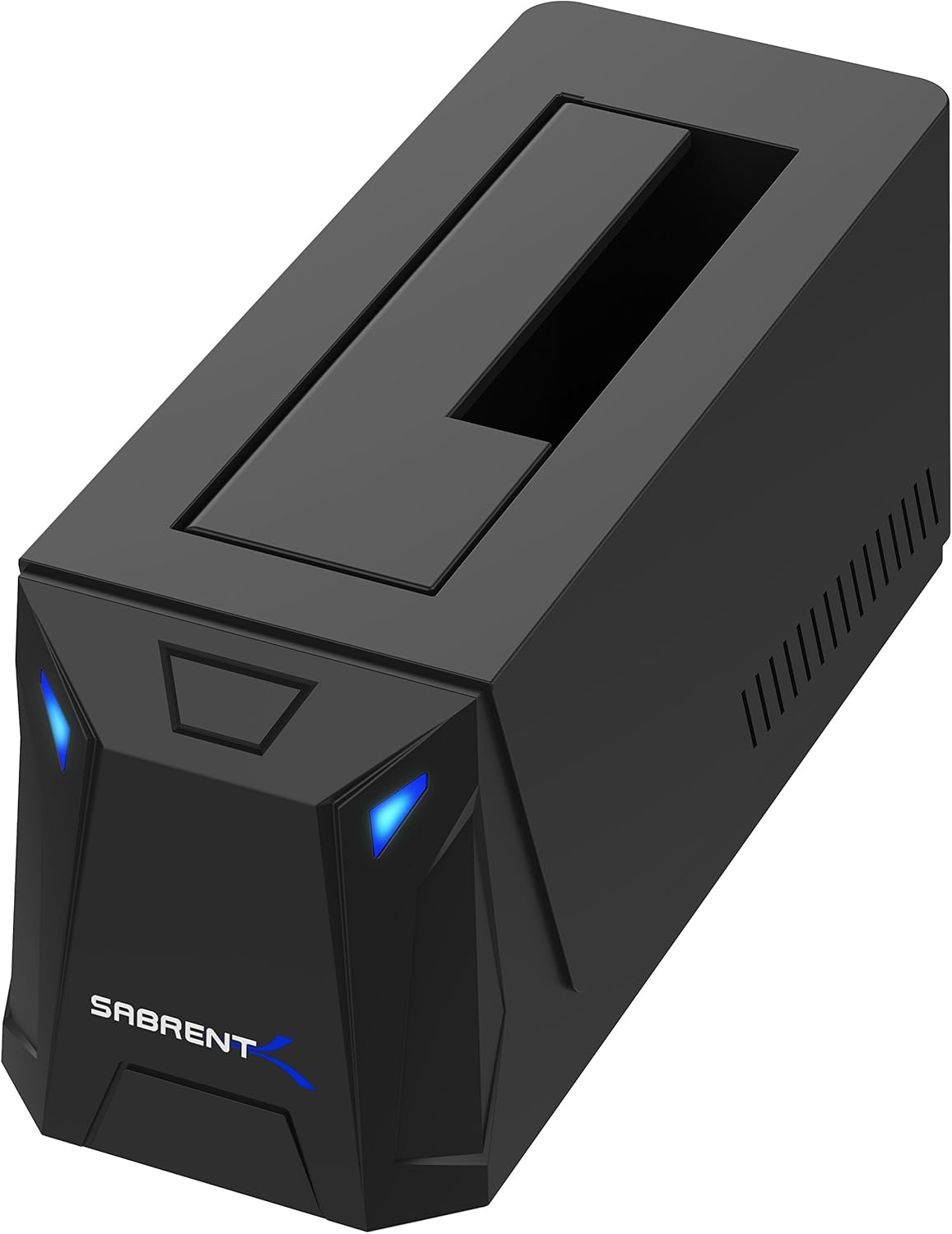
4. SABRENT USB 3.0 to SATA External Hard Drive Docking Station for 2.5″ or 3.5″‘ HDD
- Brand: SABRENT
- Manufacturer: SABRENT
Overview: The EC-UBLB-EU is SABRENT’s compact, single-bay dock with USB 3.0 and UASP support. It’s designed for quick, plug-and-play data access and supports both 2.5″ and 3.5″ drives. Its slim, cube-like footprint makes it an attractive option for tight desks or media centers. It features LED indicators for drive activity and is designed for straightforward backups and transfers without software dependencies.
Performance-wise, USB 3.0 delivers solid transfer rates on compatible hosts, and the single-bay design reduces complexity for users who don’t need multi-drive cloning. The build quality leans toward portability and ease of use, though some users may crave USB-C compatibility or USB 3.1/3.2 improvements. The lack of offline cloning means all duplication tasks require either a PC-based tool or the included cloning utilities from SABRENT’s ecosystem, which may be a consideration for power users seeking true standalone capability.
Pros
- Ultra-compact, space-saving design
- USB 3.0 with UASP for efficient transfers
- Plug-and-play, no driver installation required
- LED indicators help monitor activity
Cons
- No offline standalone cloning function
- Single-bay limits use cases
- No USB-C or newer USB interface option
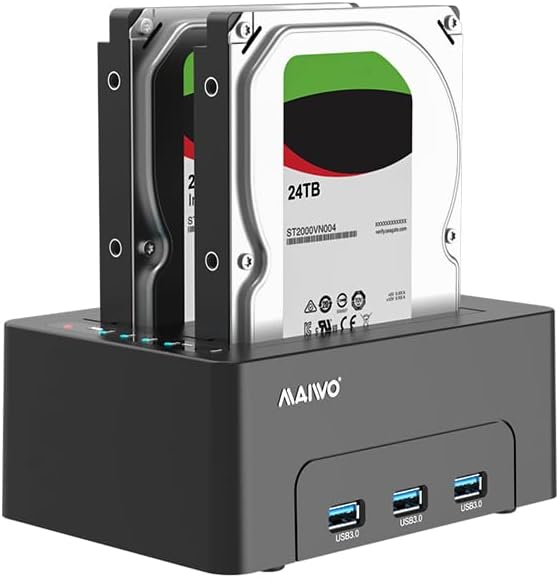
5. MAIWO Dual Bay Hard Drive Docking Station with Offline Clone for 2.5 3.5 Inch SATA HDD SSD
- Brand: MAIWO
- Manufacturer: MAIWO
Overview: The MAIWO dual-bay dock focuses on offline cloning with a robust 12V 3A power supply and a 3x USB 3.0 hub, including a high-capacity claim of 24TB per bay (48TB total). It targets users who need batch processing, backups, and data migration with independent drive-to-drive duplication. The inclusion of extra USB 3.0 ports provides versatility for peripheral connections while the built-in cloning indicators track progress. This model positions itself as a feature-rich, budget-friendly cloning-oriented option in a dual-bay format.
In practice, the MAIWO unit delivers solid cloning performance and can handle simultaneous hub devices, which is convenient for workflows that require multiple USB peripherals. The separate power supply should help maintain stability when drives are loaded at near-capacity. However, the device’s cloning performance will still depend on drive health and the cloning algorithm. The 48TB theoretical total is attractive on paper, but actual usable capacity is determined by the drives installed and any platform limitations.
Pros
- Offline cloning with clear progress indicators
- Three USB 3.0 ports provide hub-style expansion
- Independent 12V 3A power supply supports high-demand drives
- Dual bays support 2.5″ and 3.5″ drives with up to 24TB per bay
Cons
- Cloning speed is drive-dependent and may be slow for large drives
- Firmware/driver updates may be less frequent compared to market leaders
- Bulkier than single-bay docks
Frequently Asked Questions
We’ve compiled answers to the most common questions about hard drives to help you make an informed decision.
Conclusion
For users prioritizing standalone cloning and drive management, dual-bay docks with offline cloning (EC-HD2B, FIDECO, MAIWO variants) deliver the strongest workflow efficiency.
If you need a compact, budget-friendly, straightforward drive access or cloning via software, the EC-UBLB-EU or EC-DFLT provide solid options. Finally, consider your host system capabilities (USB-A vs.
USB-C, UASP support) and drive health when planning large-scale data migrations or backups. The best pick depends on your use case: frequent, independent cloning on a dual-bay unit favors the EC-HD2B or MAIWO; casual backups and a small desk footprint lean toward EC-UBLB-EU or EC-DFLT..