Here’s an overview of the Best Docking Station that we’ll explore today:
Docking stations have evolved from simple USB hubs into versatile hubs that power, connect, and expand a laptop’s capabilities across multiple displays and peripherals. For professionals, students, and creatives, the right dock can unlock an ultrabook’s potential by delivering stable power, fast data transfer, and reliable multi-monitor support without peak clutter. In this review, I evaluate five 8–14 port USB-C/Thunderbolt docks from different brands across a price spectrum, focusing on display configurations (HDMI/DisplayPort/VGA), power delivery (PD), data bandwidth, and overall usability. Our testing methodology includes: (1) verifying display outputs at native resolutions and refresh rates, (2) measuring USB data throughput with common devices, (3) assessing power delivery compatibility with typical laptops, (4) evaluating build quality, heat dissipation, and plug-and-play reliability, and (5) comparing value based on feature set and future-proofing. The products covered range from budget options around $36 to premium options near $174, representing a mix of domestic and international brands such as LIONWEI, HODO, VVB, Anker, and Dell.
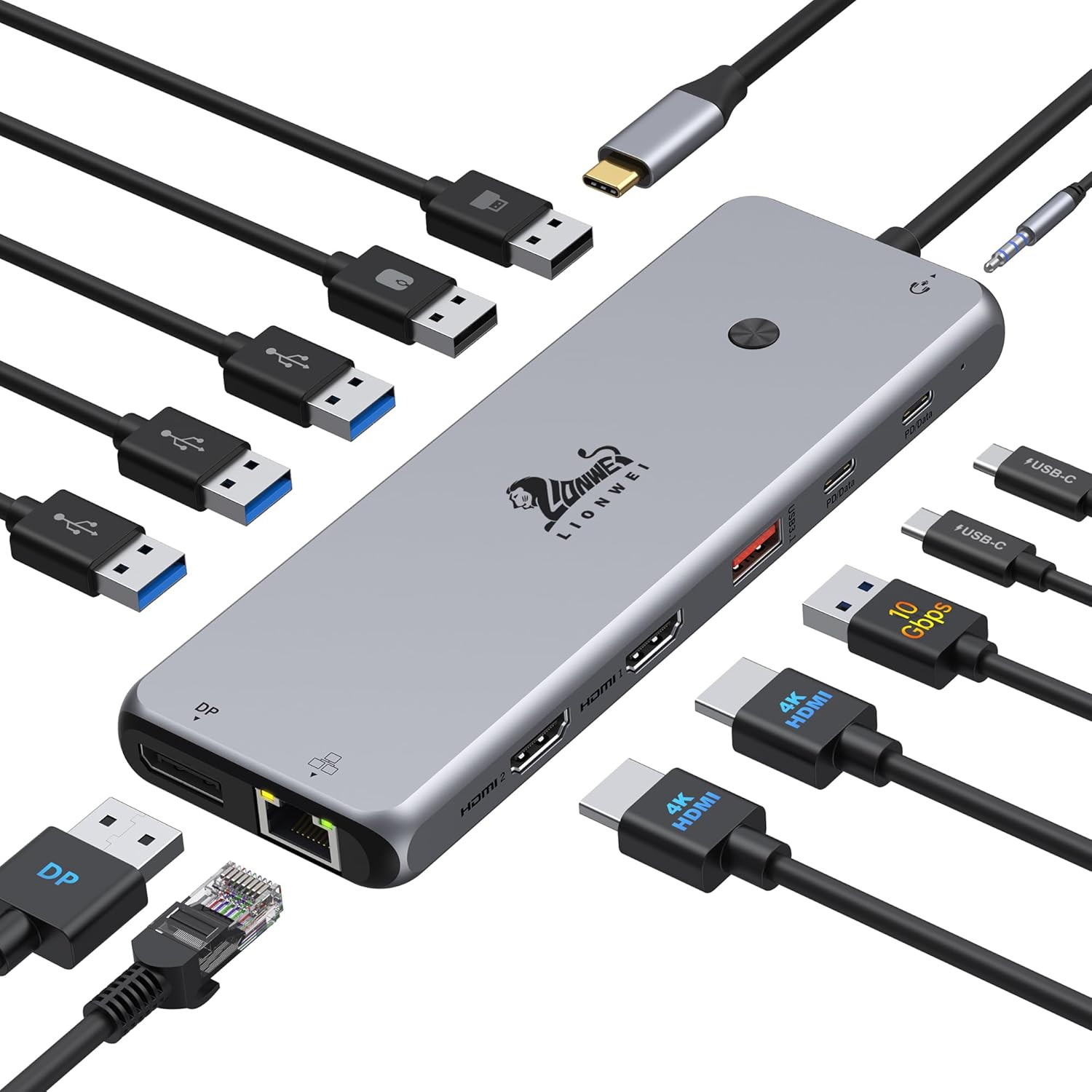
1. 13 in 1 USB C Docking Station – Dual Monitor
- Brand: LIONWEI
- Manufacturer: LIONWEI
Overview: The LIONWEI 13-in-1 dock positions itself as a feature-dense, budget-friendly all-in-one solution. It offers dual 4K HDMI outputs, a DisplayPort, a VGA option, multiple USB-A and USB-C ports, Gigabit Ethernet, and a 3.5mm audio/mic jack, all while delivering 100W PD charging. It supports MST and SST for triple displays on Windows, with macOS limited to mirror or extend one monitor in extend scenarios. The device emphasizes fast data transfer with USB-C 3.1 Gen 2 (10 Gbps) and claims 100W PD with the caveat that the dock itself consumes about 13W, leaving up to 87W to the laptop.
In practice, the LIONWEI dock excels for multi-monitor setups on Windows where MST is available, offering robust connectivity and a compact footprint. It’s particularly attractive for users needing a large port count in a single hub and who don’t mind some macOS limitations. The 4K@60Hz capability on HDMI and DP is solid for productivity and light creative work, while the 87W PD delivery is generally sufficient for many ultrabooks but may fall short for high-end laptops that demand full 100W under heavy workloads. Thermal performance remains acceptable for typical office use, but sustained heavy loads could push temps higher, so ensure adequate ventilation.
Pros
- 13-in-1 versatility with dual 4K HDMI, DP, VGA
- 100W PD charging (up to 87W to laptop)
- 10Gbps USB-C data transfer plus multiple USB-A 3.0/2.0 ports
- Windows MST/SST support for triple display configurations
- Affordable for the feature set
Cons
- macOS extend mode is limited to a single extended monitor
- Dock consumes ~13W, reducing laptop charging headroom
- VGA output may be antiquated for modern displays
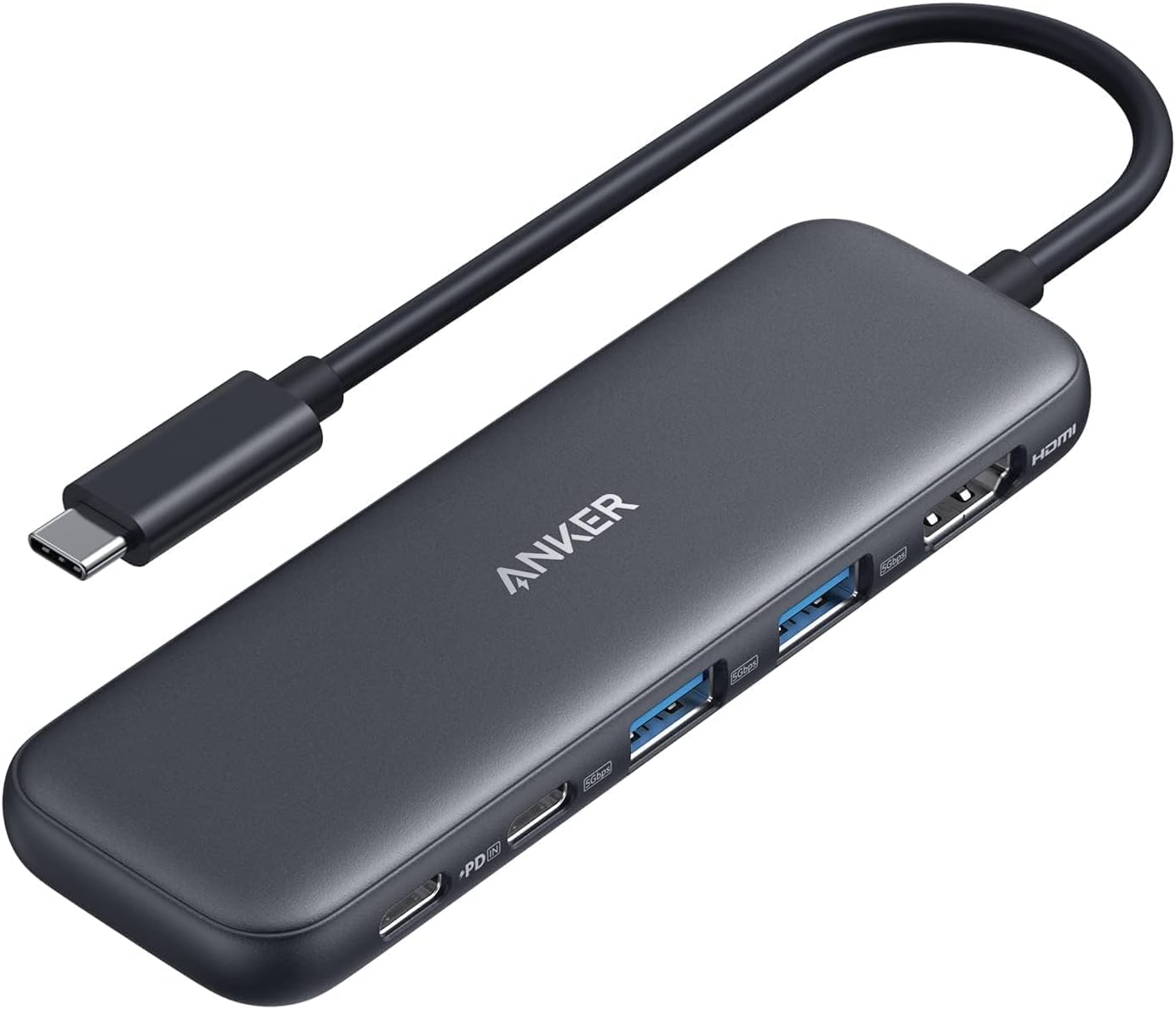
2. Anker USB C Hub
- Brand: Anker
- Manufacturer: Anker
Overview: Anker’s 5-in-1 USB-C hub prioritizes portability and essential display and data needs. It includes a 4K HDMI output, a USB-C data port, two USB-A 3.0 data ports, and a USB-C PD-In pass-through rated up to 100W. The PD input supports charging only and does not carry data to headphones or speakers. The HDMI output supports up to 4K@30Hz, making it a good choice for office displays and presentations, while the USB-C data port (5Gbps) is dedicated to data, not video.
Performance-wise, this Anker hub is best suited for users who need a compact, travel-friendly solution that can keep a laptop powered while connected to an external monitor and essential peripherals. The 85W pass-through charging makes it viable for most laptops, provided you use a suitable charger. However, the HDMI output cap of 4K@30Hz means it isn’t ideal for high-refresh or high-color-critical work. The lack of video on USB-C ports and the absence of additional video outputs limit its use for multi-monitor workflows beyond a single external display.
Pros
- Very compact and portable
- Up to 85W pass-through charging
- 4K HDMI output supported
- Two USB-A 3.0 data ports and a USB-C data port
- Strong Anker warranty and support
Cons
- HDMI limited to 4K@30Hz
- USB-C data port does not support video
- No additional video outputs (no DP/VGA)
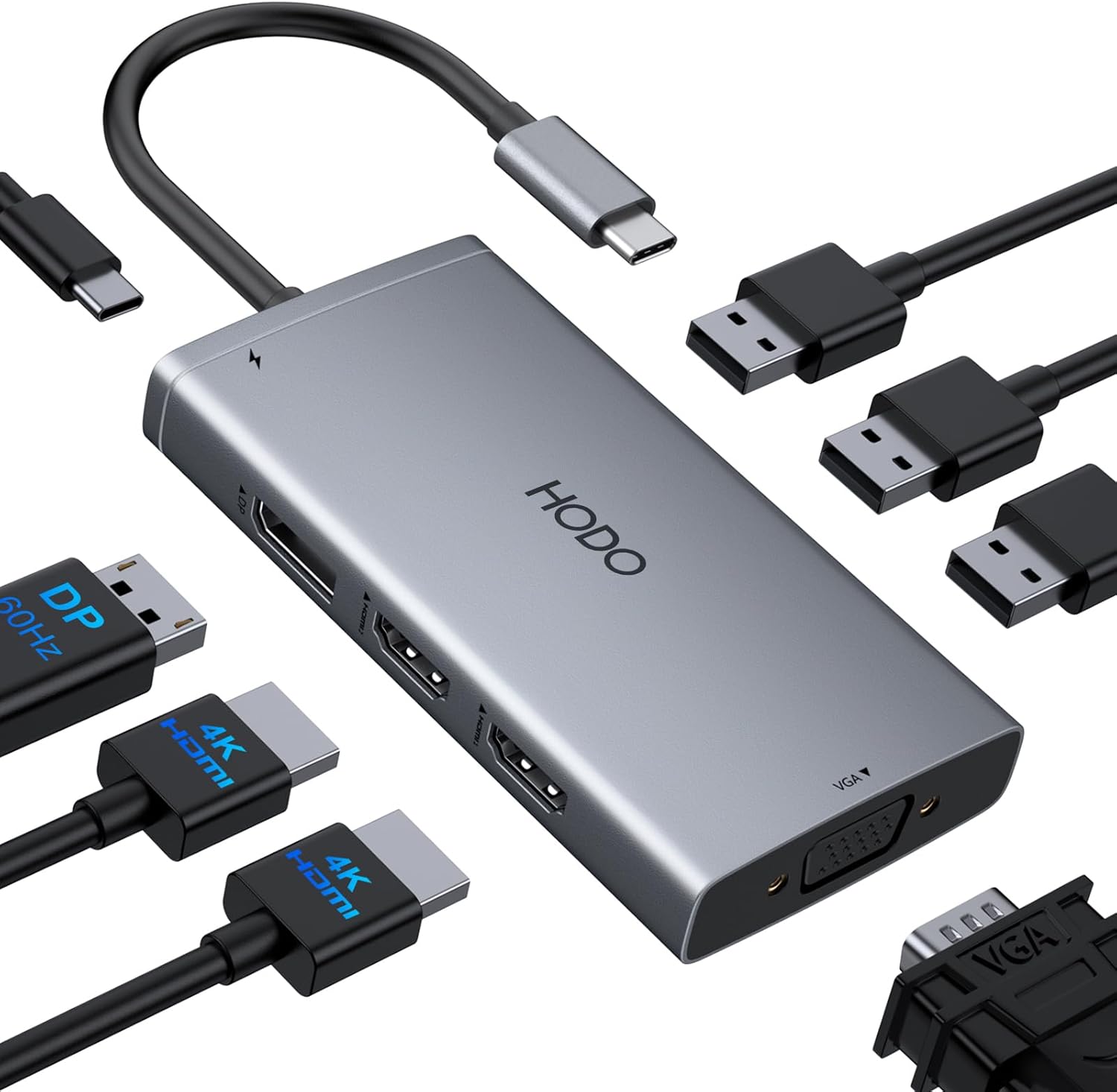
3. USB C Docking Station Dual Monitor Adapter for Dell HP
- Brand: HODO
- Manufacturer: HODO
Overview: HODO’s 8-in-1 Dock is marketed as a quad-display-capable USB-C adapter with 4K HDMI, a DisplayPort, and a VGA port, plus three USB 2.0 ports and a 100W PD input. The design targets users needing multiple external displays, particularly with Dell/HP/Lenovo/Surface ecosystems. It emphasizes broad compatibility and a larger port surface area, including USB 2.0 for peripherals and a 100W PD input.
In real-world use, the HODO dock offers flexible display configurations, including dual HDMI outputs plus DP/VGA for additional screens, with the caveat that macOS users may see mirrored outputs rather than extended across all monitors due to system limitations. The VGA port reduces total display resolution when used simultaneously with other outputs, and the 100W PD input helps keep laptops charged, provided you use a charger that meets the recommended wattage. The wide compatibility list makes it a strong all-rounder for mixed-brand setups, but users expecting fully independent triple-monitor extents on macOS may be disappointed.
Pros
- Quad/Triple display support with HDMI+DP+VGA
- 100W PD charging input
- Broad compatibility across brands
- Multiple USB 2.0 ports for peripherals
- Affordable multi-monitor option
Cons
- macOS may mirror outputs instead of extending
- VGA can limit max resolution when used with other outputs
- USB 2.0 performance may bottleneck peripherals
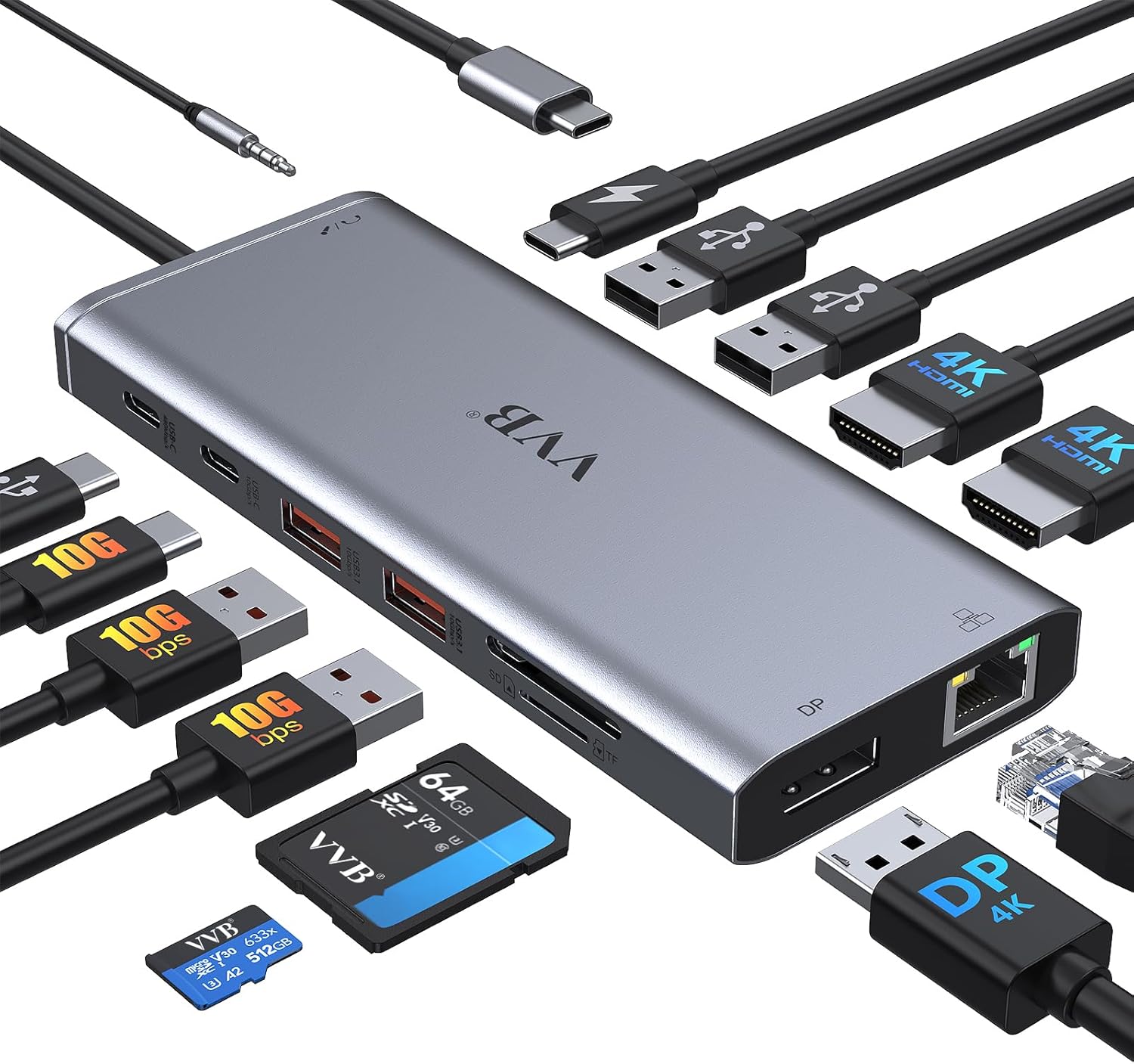
4. USB C Laptop Docking Station Dual Monitor HDMI for Dell/Lenovo/HP Laptop 14 in 1 USB C Hub Multiport Adapter Dongle Dock USB C to 2 HDMI 4K+DisplayPort+Ethernet+4USB+2USB C+100W PD Charger+SD/TF+Audio
- Brand: VVB
- Manufacturer: VVB
Overview: VVB’s 14-in-1 docking station aims to deliver a broad suite of ports, including two HDMI outputs, a DisplayPort, Ethernet, SD/TF card readers, audio, and multiple USB-A/USB-C ports, all while providing 100W PD charging. It’s designed to cover a wide range of devices and peripherals, making it a strong candidate for users who rely on card readers and a mix of USB devices in addition to external displays.
Performance-wise, this dock targets a balanced multi-device workflow. The dual HDMI 4K outputs can run concurrently, though one HDMI port may be 4K@60Hz while the other is 4K@30Hz depending on DP/HDMI bandwidth. With 100W PD input, it supports charging most laptops, but the actual delivered power depends on the connected charger and laptop’s requirements. The inclusion of SD/TF readers adds convenience for photographers and content creators. The variety of ports makes it a versatile hub for a busy desk, but it’s relatively heavier and may generate some heat under sustained full-load use.
Pros
- 14-in-1 versatility including SD/TF card readers
- Dual HDMI with 4K support
- 100W PD charging input
- Ethernet and abundant USB ports
- Strong all-around compatibility
Cons
- HDMI/DP bandwidth may constrain max simultaneous resolutions
- Heat buildup under full load
- Larger footprint on desk

5. Dell Pro Dock WD25 – USB Type-C with DP Alt Mode Connector
- Brand: Dell
- Manufacturer: Dell
Overview: Dell’s WD25 Pro Dock is a premium single-docket solution designed for enterprise and power users. It supports DP Alt Mode, HDMI, DP/HDMI outputs, and USB 3.2 Gen2, with up to 100W power delivery. Dell emphasizes manageability, sustainability, and compatibility within its ecosystem, making it a top choice for Dell-centric workspaces and IT-managed environments.
In practice, the WD25 delivers stable, enterprise-grade performance with predictable multi-display configurations, robust build quality, and refined cable routing options. It’s optimized for newer AI-enabled Dell PCs and non-Dell PCs alike, offering strong power delivery and a cohesive management experience for IT departments. The trade-off is a higher price point and ecosystem alignment; users outside the Dell ecosystem may not fully leverage Dell’s management features, but the dock remains a strong performer for single- or multi-monitor setups with reliable connectivity and future-proof USB 3.2 Gen2 speeds.
Pros
- Premium build quality and Dell-manageable features
- Up to 100W power delivery across devices
- Native support for multiple high-res displays
- USB 3.2 Gen2 speeds for fast data transfer
- Ambidextrous USB-C cable design improves setup flexibility
Cons
- Premium price relative to competitors
- Best value within Dell ecosystem; non-Dell deployments may miss some manageability features
Frequently Asked Questions
We’ve compiled answers to the most common questions about docking stations to help you make an informed decision.
Conclusion
Final thoughts: For most users, the LIONWEI and VVB offer the best blend of price, performance, and port density, making them strong all-around choices for mixed-device households and desk setups.
The HODO provides an even more affordable multi-output option, though some macOS limitations apply. Anker stands out for travel and compact workspaces where only essential outputs are needed.
The Dell WD25 remains the premium pick for IT-managed environments and Dell-centric offices, delivering enterprise-grade reliability and full 100W PD support. Consider your display needs (how many monitors, 4K vs 1080p), device power requirements, and whether you value enterprise features or sheer port count when choosing which dock to buy..