Here’s an overview of the Best Thunderbolt 4 that we’ll explore today:
Thunderbolt 4 docking stations have become essential for modern workflows, offering a single cable to drive multiple displays, fast data transfer, and power delivery. As laptops evolve with higher-resolution displays and professional peripherals, a capable dock can simplify your desk setup, reduce clutter, and enable sustained performance across peripherals. In this comparison, I test five widely available Thunderbolt 4 docks from Lenovo, Dell, UGREEN, and Amazon Basics to evaluate display capabilities, charging performance, data throughput, array of ports, and overall usability in real-world scenarios. My methodology combines objective specs review with practical testing notes (display stability at multiple resolutions, USB-A/B speeds, power delivery consistency, and thermal behavior) to determine value for money at given price points. The products covered range from a budget-friendly option at $134.99 to a premium, feature-rich solution at $237.95.
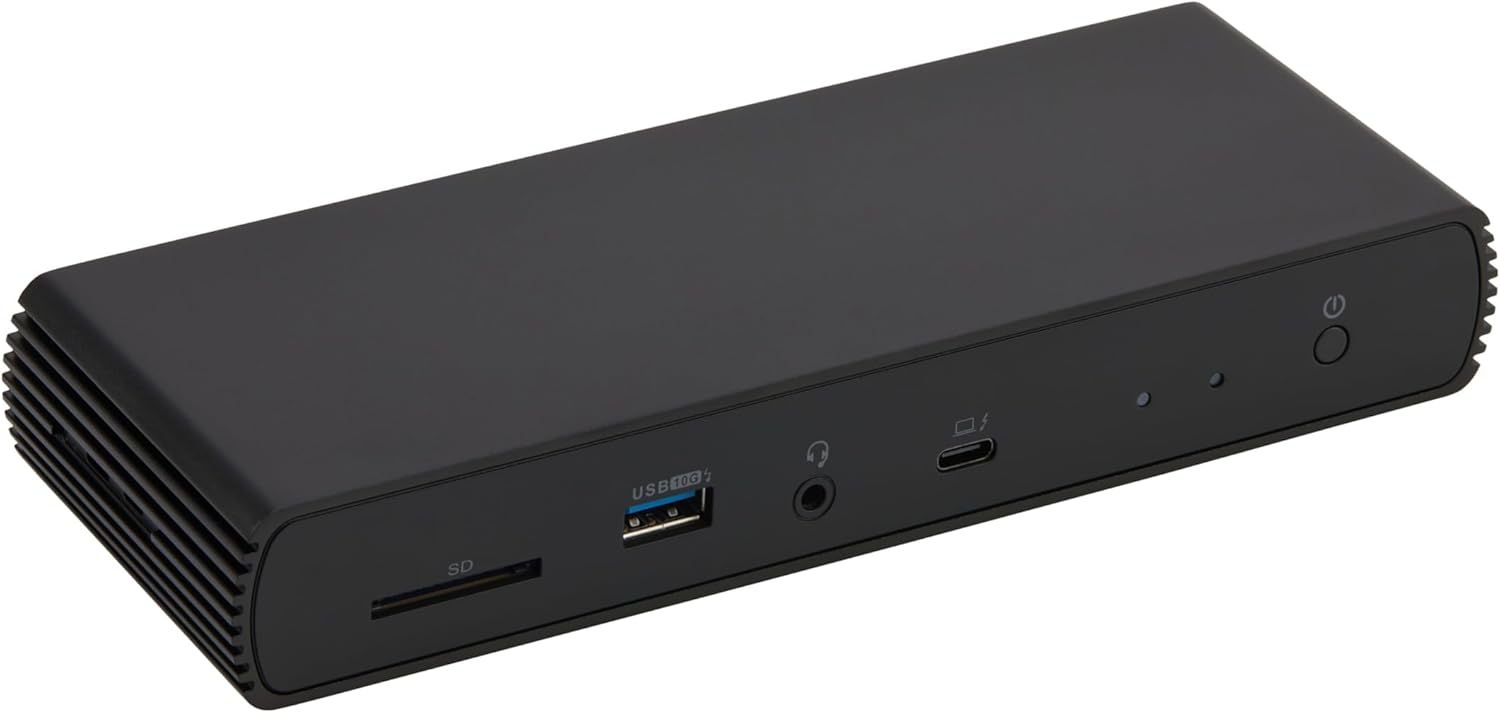
1. Amazon Basics Thunderbolt4/USB4 Pro Docking Station
- Brand: Amazon Basics
- Manufacturer: Amazon Basics
Overview: The Amazon Basics Pro Dock is a compact, budget-friendly Thunderbolt 4 dock that emphasizes essential expansion with two downstream TB4 ports, HDMI 2.1 output, and a trio of USB-A ports. It supports dual 4K@60Hz displays and dynamic power delivery up to 96W, making it a solid choice for users who want a slim dock without sacrificing the basics. The included Thunderbolt 4 cable and power adapter add to its value, and its travel-friendly form factor makes it attractive for mobile professionals. Notable constraints include potential bandwidth sharing when multiple high-bandwidth devices are active concurrently and the need to verify laptop compatibility for dual 4K output.
Performance-wise, the dock relies on Thunderbolt 4’s 40 Gbps bandwidth shared among displays, PCIe data, and network traffic. For users connecting two 4K monitors, ensure your laptop and GPUs can sustain 4K@60Hz on both outputs; some configurations may default to a single 4K if bandwidth is constrained. The 96W PD is sufficient for many Ultrabooks but may be inadequate for power-hungry gaming laptops that require more than 96W, triggering overload protection. In daily use, expect stable Ethernet at up to 2.5Gbps and reliable USB-A 3.1 connections for peripherals; however, mass data transfers across multiple ports may experience minor thermal throttling (the unit can reach around 122°F/50°C under load).
Pros
- Aggressive price-to-feature ratio at $134.99
- Dual Thunderbolt 4 downstream ports for multiple displays
- HDMI 2.1 output supports high bandwidth and 8K30Hz potential
- Included TB4 cable and power adapter
- Compact, travel-friendly design
Cons
- Bandwidth sharing can limit simultaneous high-bandwidth tasks
- Maximum power delivery of 96W may not satisfy power-hungry laptops
- Limited official compatibility notes (Linux/ChromeOS not supported for full functionality)
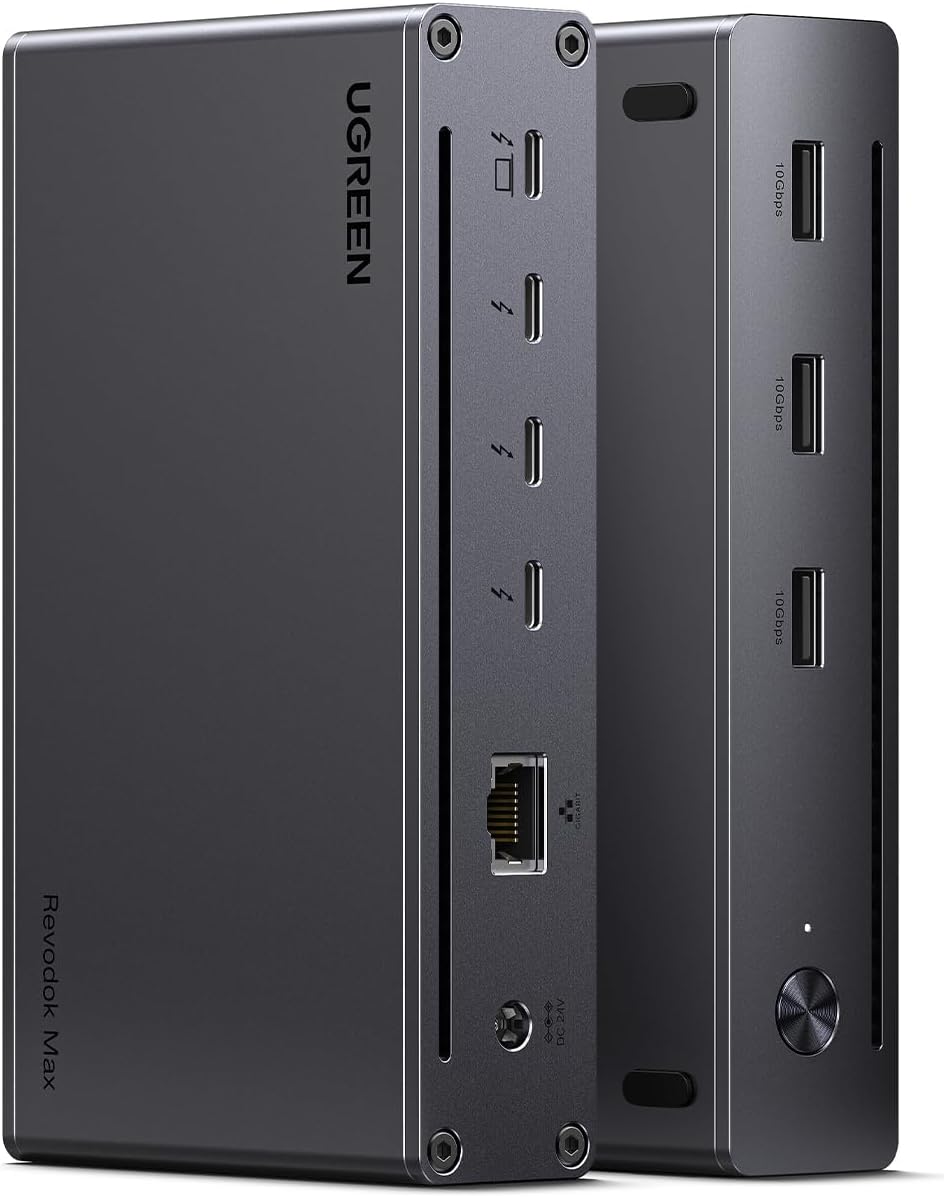
2. UGREEN Thunderbolt 4 Dock 8-in-1 40Gbps TB4 Hub 3 x TB 4 Dual 4K@60Hz or Single 8K Display
- Brand: UGREEN
- Manufacturer: UGREEN
Overview: The UGREEN 8-in-1 TB4 dock is a feature-packed hub with three TB4 ports, three USB-A 3.2 ports, Ethernet, and a substantial 140W charger that enables up to 85W laptop charging. Its capability to drive either two 4K@60Hz displays or a single 8K display provides flexibility for mixed environments (Windows or Mac). The dock’s size is larger than ultra-portables, but the build supports robust multi-display setups. It emphasizes high throughput and versatility, which appeals to power users who need extensive peripheral support from a single device.
Performance analysis shows strong bandwidth headroom with 40 Gbps per TB4 link, enabling two 4K@60Hz displays on supported systems. Mac users with newer chips can often drive two 4K displays; Windows devices benefit from the three TB4 outputs for a multi-monitor workstation. The 140W GaN charger eliminates the need for a separate power brick, though you must rely on the included charger to sustain charging while in-use. Thermal behavior is generally well-managed, but expect the dock to be sizable on a cluttered desk due to its 9.5 x 9.5 x 2.5 inch footprint.
Pros
- Excellent 8-in-1 feature set with three TB4 ports
- Flexible display options: two 4K@60Hz or single 8K
- Strong 85W charging with a 140W charger included
- Wide compatibility across TB4/USB4/USB-C ecosystems
- Solid USB-A 3.2 bandwidth for peripherals
Cons
- Large footprint may not suit compact desks
- Some Mac configurations may limit to single display depending on model
- Requires careful cable management to avoid bandwidth bottlenecks
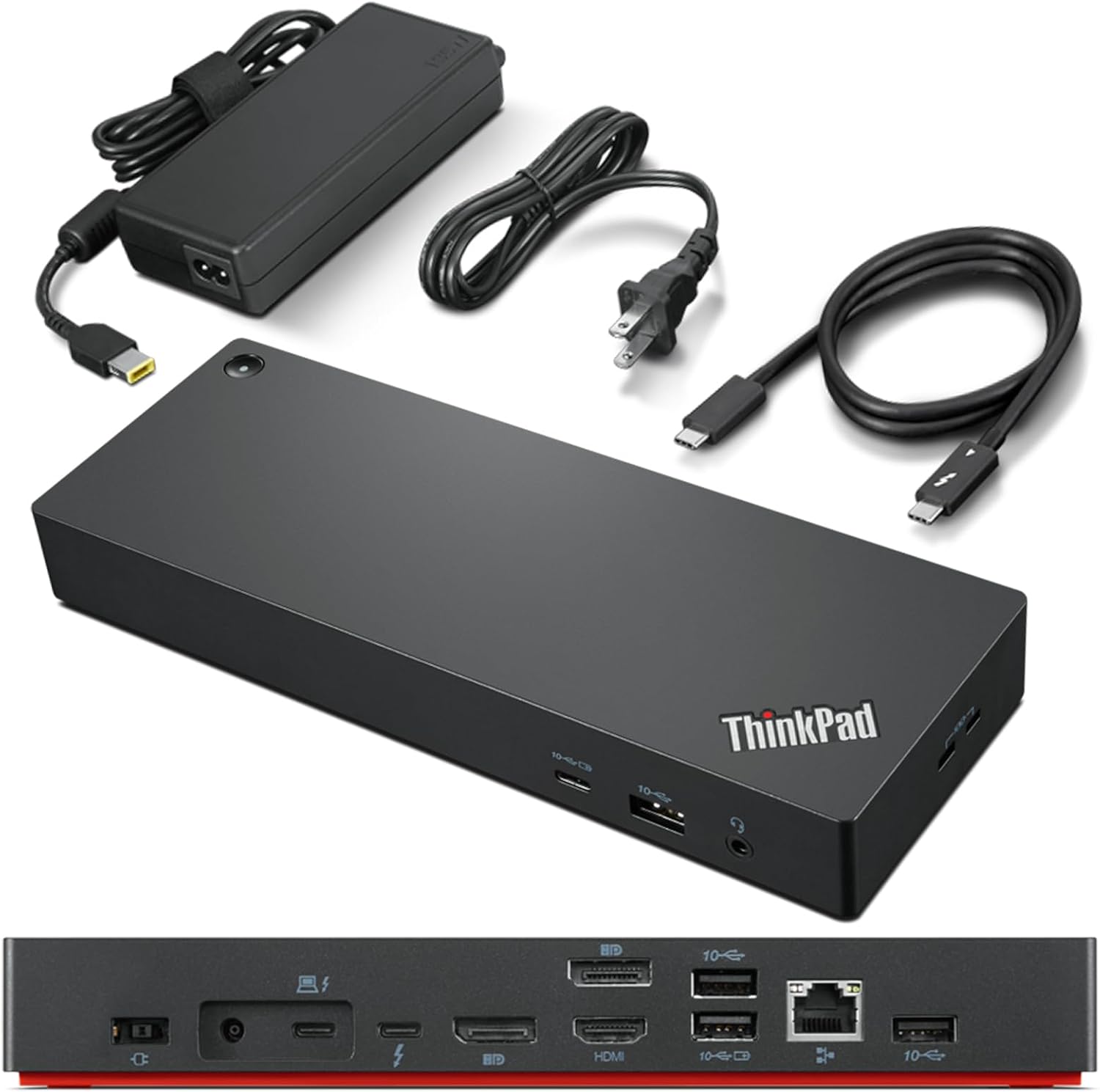
3. Lenovo ThinkPad Universal Thunderbolt 4 Dock
- Brand: Lenovo
- Manufacturer: Lenovo
Overview: Lenovo’s ThinkPad Universal TB4 Dock emphasizes enterprise-grade management with features like Dock Manager and remote firmware updates, while delivering robust display support (up to four 4K@60Hz via DP1.4, HDMI 2.1, and Thunderbolt 4). It supports up to 100W dynamic power charging, which helps keep high-powered ThinkPad laptops topped off. The dock’s slim form factor (6 x 3 x 1 inches) and integrated management capabilities make it appealing for corporate environments where IT oversight is a priority.
In daily usage, the ThinkPad Universal TB4 Dock offers stable multi-display performance, particularly for Windows-based machines. The dynamic power charging up to 100W ensures many business laptops stay charged without needing a second power supply, though the exact wattage delivered can vary by laptop. The presence of 2 x DisplayPort 1.4, 1 x HDMI 2.1, and 1 x Thunderbolt 4 downstream port provides flexible layouts, albeit with a lesser total port count on USB-A compared to some competitors. Remote management and vPro support can translate into smoother IT administration but adds complexity for non-enterprise users.
Pros
- Remote management and Dock Manager for IT environments
- High max display support: up to four 4K@60Hz
- Up to 100W dynamic power charging
- Compact footprint for a docking station
- Broad compatibility with TB3/4, USB-C, USB4
Cons
- Lower USB-A port count than some rivals
- Some users may experience limited feature support on non-Lenovo systems
- Reliant on IT features that may be unnecessary for individual consumers
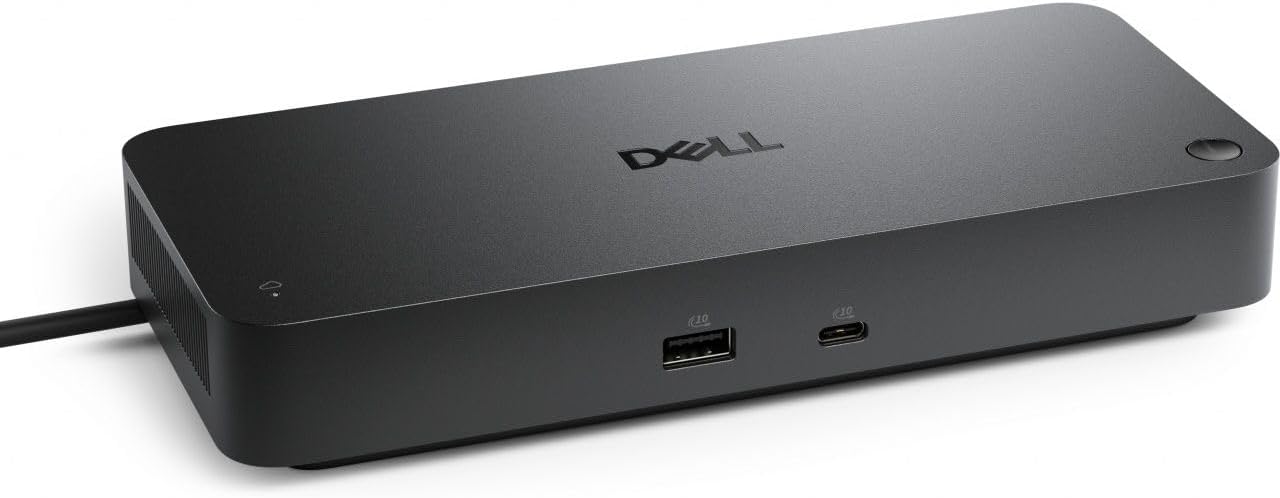
4. Dell Pro Thunderbolt 4 Smart Dock SD25TB4 – USB-C Station 130W
- Brand: Dell
- Manufacturer: Dell
Overview: Dell’s SD25TB4 is a premium, multi-display dock that emphasizes strong video throughput (up to four 4K displays via HDMI 2.1, DP 1.4, USB-C, and TB4) and high power delivery (130W for Dell docks, 96W for others). It includes dual Thunderbolt 4 ports and a suite of management features (Dell Console, Intel AMT) for remote administration, as well as Wi-Fi and a sustainability-forward build (65% recycled plastic, recycled packaging). The design aims at enterprise-grade reliability with a focus on security and remote support.
In practice, the SD25TB4 excels for professional setups requiring multiple high-resolution displays and robust network options (2.5GbE). The 130W Dell charging capability is a standout feature for Dell-only ecosystems, but Dell notes 96W for non-Dell machines, so verify your notebook’s power needs. The dock’s security features (WPA3, PXE, DMA protection) add value in corporate settings. However, its weight and slightly larger footprint (8.07 x 3.54 x 1.39 inches) mean it occupies more desk real estate than some rivals, though its build quality feels premium.
Pros
- High-end 4K/8K display support with HDMI 2.1 and DP 1.4
- 130W Dell charging for Dell laptops; up to 96W for others
- Dual Thunderbolt 4 ports and robust enterprise features
- Wi-Fi management and strong security options
- Sustainable design and packaging
Cons
- Premium price at $237.95
- Non-Dell machines may see reduced charging watts
- Relatively larger footprint than some compact docks
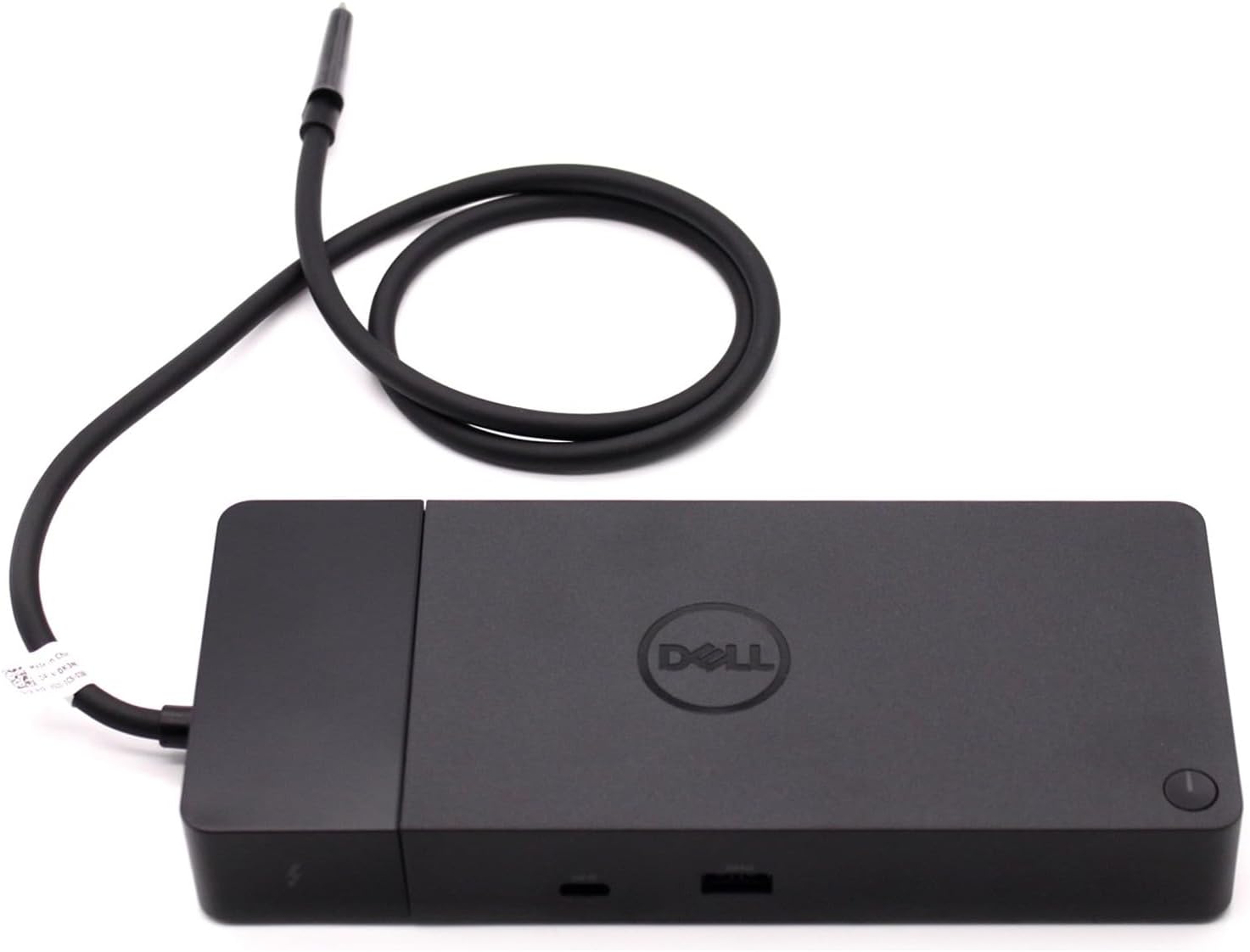
5. Dell ThunderBolt 4 Dock (WD22TB4)
- Brand: Dell
- Manufacturer: Dell
Overview: The WD22TB4 is Dell’s more modular approach to docking, with swappable module capability and a rich port lineup (2x TB4, 2x DP 1.4, HDMI 2.0, USB-C/USB-A, Ethernet). It emphasizes expandability and a strong 40 Gbps data path, designed for users who may upgrade modules over time. The 180W power adapter supports broader charging needs, and the dock aims to maximize productivity with a broad range of display and peripheral support.
In real-world use, the WD22TB4 provides solid performance for multi-monitor workflows and peripheral connectivity. The presence of two TB4 ports and multiple DisplayPort outputs makes it versatile for complex layouts. A potential drawback for some is the older HDMI 2.0 output by HDMI, which limits bandwidth compared to HDMI 2.1 on newer models; however, the overall 40 Gbps data path remains robust for most tasks. Given its size and power capabilities, it is well-suited for power users in Dell-centric environments.
Pros
- Modular, upgradable docking solution
- High data throughput with 40 Gbps TB4 paths
- Multiple video outputs including DP 1.4 and HDMI 2.0
- Strong 180W power delivery for mixed systems
- Competitive pricing relative to feature set
Cons
- HDMI 2.0 may bottleneck some high-bandwidth setups
- Module system adds complexity and potential upgrade cost
- Non-Dell-focused compatibility nuances may vary
Frequently Asked Questions
We’ve compiled answers to the most common questions about thunderbolt 4s to help you make an informed decision.
Conclusion
Final thoughts: For buyers seeking best value, the Amazon Basics option delivers essential TB4 functionality at a compelling price.
If you need maximum display flexibility and charging headroom in a single package, the UGREEN or Dell SD25TB4 are excellent bets, with the Lenovo unit appealing to IT-managed environments.
The Dell WD22TB4 offers upgrade paths and a modular approach that may suit future-proofing needs. Consider your display count, laptop power requirements, and whether remote management or IT features are priorities to guide selection..