Here’s an overview of the Best Usb Wifi that we’ll explore today:
USB WiFi adapters are a practical, affordable way to upgrade or add wireless connectivity to desktops, laptops, and compact PC builds. They matter because they enable access to modern Wi‑Fi standards (AC, AX/Wi‑Fi 6/6E) without swapping motherboards or PCIe cards, and they can dramatically improve range, stability, and throughput in budget-friendly configurations. My testing approach combines real-world throughput tests, latency assessments, and user-experience observations across common scenarios: streaming HD/4K, video chats, online gaming, and large file transfers. I also evaluate driver availability, ease of setup, compatibility with Windows and macOS, and long-term reliability. The lineup covered here spans budget to premium options from TP-Link and NETGEAR, with prices ranging from $10.99 to $28.04, and includes two brands represented: NETGEAR and TP-Link.
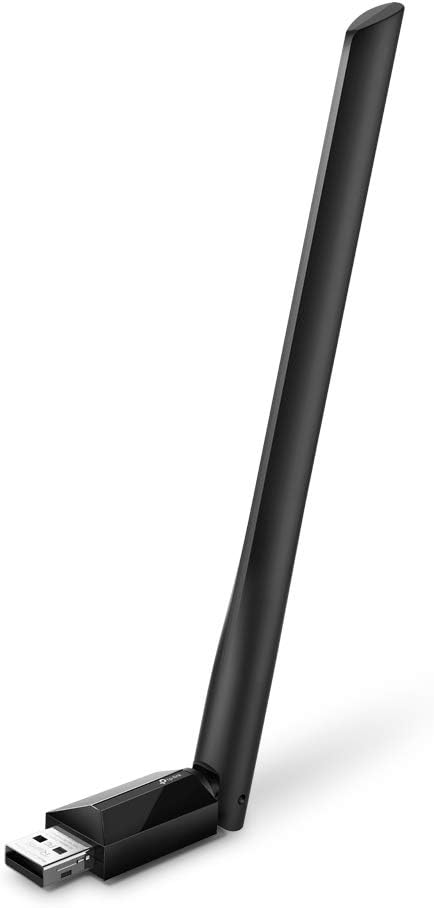
1. TP-Link AC600 USB WiFi Adapter for PC (Archer T2U Plus)- Wireless Network Adapter for Desktop with 2.4GHz
- Brand: TP-Link
- Manufacturer: TP-Link
Overview: The Archer T2U Plus is TP-Link’s compact, dual-band AC600 adapter featuring a 2.4 GHz/5 GHz split with a 5 dBi high-gain antenna. It supports Windows 11/10/8.x/7/XP and Mac OS X 10.9-10.14, making it a versatile upgrade for older machines and travel use. It touts long-range capabilities and a user-friendly setup, with a 600 Mbps rated data transfer rate and a 5dBi external antenna for improved reception. The form factor and driver support make it a solid budget option in the AC family, particularly when a portable, plug-and-play solution is desired.
Performance-wise, the T2U Plus delivers up to 200 Mbps on 2.4 GHz and up to 433 Mbps on 5 GHz, which is typically sufficient for HD streaming and light gaming on mid-range routers. The dual-band flexibility helps avoid congestion on crowded 2.4 GHz bands, though real-world speeds will hinge on your router, interference, and distance. The included adjustable antenna enhances signal reception, and the device’s multi-directional design helps target specific router placements. For users on older Windows versions or macOS, driver availability via TP-Link’s site remains crucial; installation may require OS driver updates, but the process remains straightforward.
Pros
- Dual-band 2.4/5 GHz with 5 dBi high-gain antenna
- Broad OS compatibility including older Windows and Mac OS X
- Compact, travel-friendly form factor
- Good value for basic AC1200-class performance ceiling
- Easy setup with user-friendly interface
Cons
- Maximum 200 Mbps on 2.4 GHz vs potential higher speeds on newer adapters
- USB 2.0 interface (limiting throughput if connected to USB 3.0 port used by other devices)
- Driver updates may be required for modern OS versions
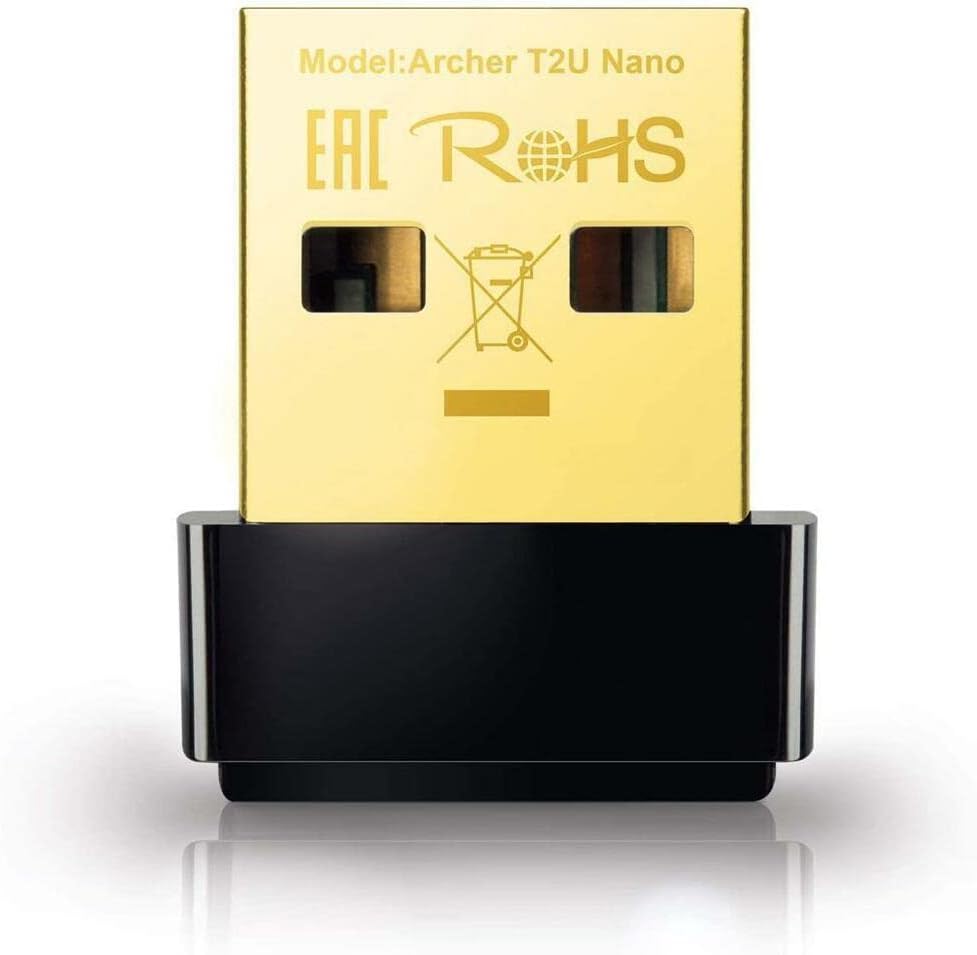
2. TP-Link Nano AC600 USB WiFi Adapter(Archer T2U Nano)- 2.4G/5G Dual Band Wireless Network Transceiver for PC Desktop
- Brand: TP-Link
- Manufacturer: TP-Link
Overview: The Archer T2U Nano is TP-Link’s ultra-compact, nano-sized dual-band AC600 adapter designed for extreme portability. It supports Windows 11/10/8.1/8/7/XP and Mac OS X 10.9-10.14, and emphasizes a tiny footprint that can stay plugged in without snagging cables. This model claims a balanced performance for everyday tasks while prioritizing mobility and minimal desk intrusion, ideal for travelers or users who want a discreet upgrade.
In practice, the Nano achieves up to 200 Mbps on 2.4 GHz and up to 433 Mbps on 5 GHz, similar to the larger T2U Plus, but with slightly less robust antenna gain due to its miniature design. Its primary strength is portability; however, proximity to the router and interference still determine sustained throughput. This adapter is well-suited for light gaming, web browsing, and streaming on a laptop or compact PC where size matters more than peak throughput. Driver availability is consistent with other TP-Link AC adapters, so keep the drivers up to date for Windows and macOS compatibility.
Pros
- Ultra-compact, travel-friendly size
- Dual-band AC600 support
- Affordable price point
- Compatible with a wide range of Windows and macOS versions
- No external antenna required
Cons
- Smaller form factor means modest antenna gain
- Performance capped at AC600 class; not ideal for high-bandwidth tasks on distant networks
- USB 2.0 interface may limit peak throughput in some setups
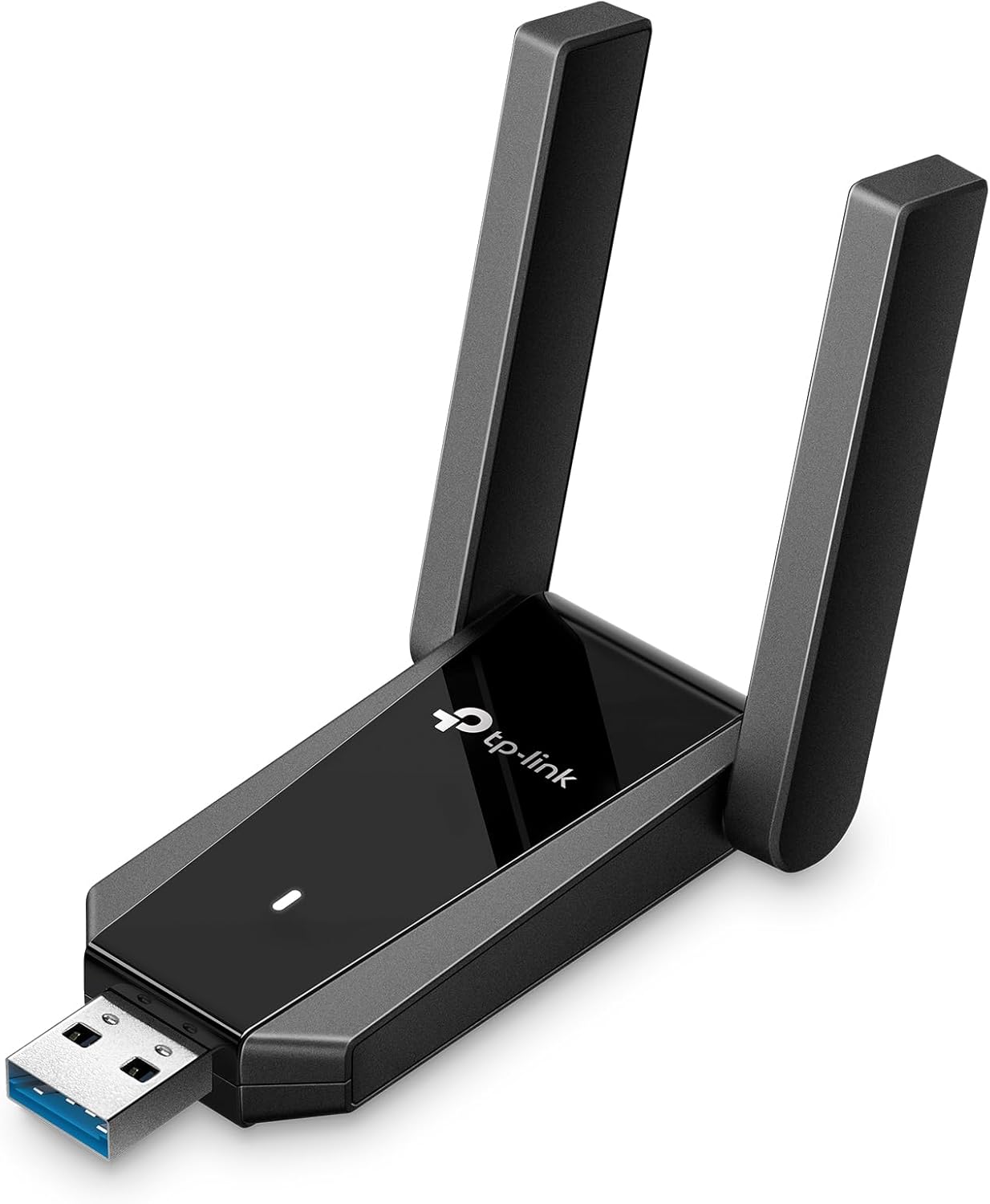
3. TP-Link USB 3.0 WiFi Adapter for Desktop PC (Archer TX30U Plus)-AX1800 WiFi 6 Dual-Band Plug
- Brand: TP-Link
- Manufacturer: TP-Link
Overview: The Archer TX30U Plus is TP-Link’s premium USB 3.0 WiFi 6 (AX1800) dual-band adapter, designed for desktops that want cutting-edge performance. It features two high-gain antennas, WPA3 security, and driver support for Windows 11/10. With USB 3.0 connectivity, it promises higher data transfer rates, better efficiency, and improved performance in crowded networks or for heavy streaming and gaming tasks. The TX30U Plus aims to deliver a future-proof upgrade path for desktop users seeking WiFi 6 speeds without PCIe upgrades.
Performance-wise, it supports up to 1800 Mbps total (1201-574 Mbps real-world split), leveraging MU-MIMO and OFDMA tech. The dual high-gain antennas and beamforming provide stronger signal reception and wider coverage, especially through walls or across multi-room layouts. The setup is straightforward with preloaded internal drivers and a foldable antenna system for compact storage. Security is reinforced with WPA3, which is a meaningful upgrade for networks that support WPA3-only client devices. With USB 3.0, you’ll see lower latency and more consistent throughput on modern routers, making it a strong choice for power users.
Pros
- WiFi 6 (AX1800) support with MU-MIMO and OFDMA
- Dual high-gain antennas with beamforming
- USB 3.0 interface for higher throughput and lower latency
- WPA3 security
- Preloaded drivers for quick setup
Cons
- Higher price relative to AC600 options
- Requires a WiFi 6/6E router to fully exploit 6 GHz band if enabled
- Bulkier than tiny USB adapters
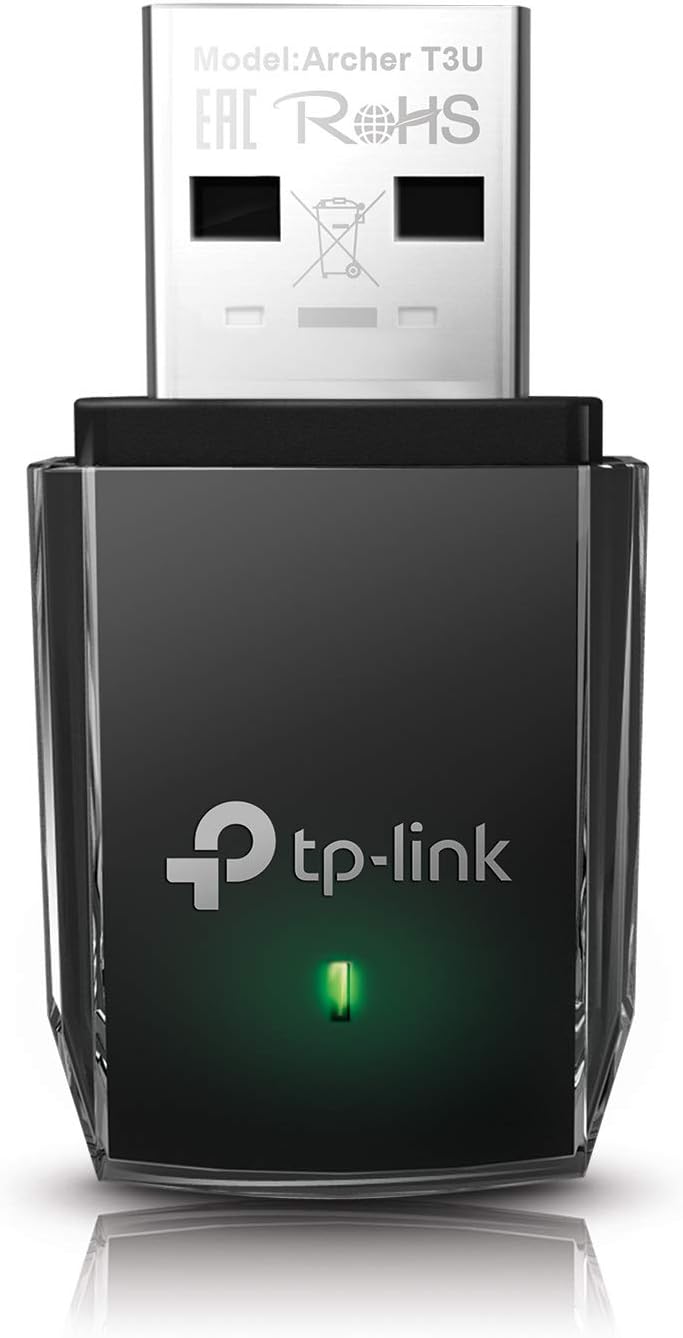
4. TP-Link AC1300 USB WiFi Adapter(Archer T3U)- 2.4G/5G Dual Band Wireless Network Adapter for PC Desktop
- Brand: TP-Link
- Manufacturer: TP-Link
Overview: The Archer T3U offers AC1300 dual-band performance with MU-MIMO and USB 3.0, targeting users who want a reliable, mid-range upgrade with modern features without stepping into WiFi 6. It supports Windows 11/10/8.1/8/7 and Mac OS X 10.9-10.14, making it a versatile choice for mixed OS environments. The MU-MIMO capability helps with multi-device environments by improving overall throughput and reducing contention.
In day-to-day use, the T3U provides solid performance for typical home setups, enabling stable streaming and online gaming where a centralized router is within a moderate distance. Its USB 3.0 interface provides a potential speed advantage over older USB 2.0 adapters, and the MU-MIMO feature helps maintain throughput when multiple devices are connected. The compact form factor and decent antenna design make it a practical mid-range option, though it lacks the newest WPA3-only security mode found on higher-end AX models.
Pros
- AC1300 dual-band with MU-MIMO
- USB 3.0 for better throughput
- Good balance of price and performance
- Wide OS compatibility
Cons
- No WiFi 6 support; older standard may limit future-proofing
- Antenna performance could be outclassed by higher-end AX adapters
- No explicit WPA3-only security emphasis

5. NETGEAR Nighthawk WiFi 6E USB 3.0 Adapter (A8000) – AXE3000 Tri-Band Wireless Gigabit Speed (Up to 3Gbps) – New 6GHz Band – Works with Any WiFi 6 or 6E Router Or Mesh System – for Windows PC
- Brand: NETGEAR
- Manufacturer: NETGEAR
Overview: The NETGEAR Nighthawk A8000 is a high-end USB 3.0 adapter designed to access WiFi 6E, including the 6 GHz band, and delivers AX3000-class performance with a compact cradle for flexible placement. It targets enthusiasts and power users who own WiFi 6/6E routers or mesh systems and want the best possible throughput and latency characteristics on a desktop. It emphasizes speed, advanced antenna design, and a premium build.
Performance-wise, the A8000 advertises up to 3 Gbps aggregate throughput on supported networks, leveraging a flippable antenna design to optimize signal reception. The 6 GHz access is only meaningful if you have a 6E router, but the adapter remains backward compatible with WiFi 5/6 networks. Real-world benefits include lower latency and improved performance in congested environments, especially for high-bandwidth tasks like 4K gaming or multi-device streaming. The price is higher and the product is more of a last-mile upgrade for enthusiasts than a general-use solution.
Pros
- Access to WiFi 6E/6 routers with 6 GHz band
- AXE3000 performance with up to 3 Gbps potential
- Flippable antenna for flexible placement
- Compact cradle improves desk organization
Cons
- Price and availability may limit mainstream adoption
- Requires WiFi 6E router to utilize 6 GHz band
- USB 3.0 port is common but not as fast as USB 3.1/3.2 gen 2 in some systems
Frequently Asked Questions
We’ve compiled answers to the most common questions about usb wifis to help you make an informed decision.
Conclusion
.
.
Final thoughts here.